For musicians creating online
Talented musicians need a better path to create and monetize structured educational content without building an audience from scratch on a generic video platform.
Product Story 03 / Music Education
A music education platform for teachers, students, and tutorial authors.
Play It Pro helps musicians turn expertise into structured lessons, student learning paths, and high-quality tutorial content. It connects in-person teacher tools with a curated tutorial library, giving instructors a better way to plan, assign, and support learning beyond the lesson room.
Product insightKnowing an instrument does not automatically mean you can teach it online.
Online music education is crowded. Thousands of talented musicians create tutorials, post lessons, and try to build audiences, but even strong creators can get buried inside platforms built around algorithms, entertainment, thumbnails, and search.
At the same time, in-person teachers face a different problem. Lessons, assignments, practice goals, videos, schedules, and communication often live in different places.
Talented musicians need a better path to create and monetize structured educational content without building an audience from scratch on a generic video platform.
In-person teachers need better tools to organize lessons, students, assignments, and learning paths beyond the actual lesson hour.
Play It Pro sits between those two needs: helping musicians create structured tutorial content while giving teachers tools to support real students.
Music education should not just be a library of videos. It should be a structured learning system.
Tutorials need clear objectives. Lessons need reusable blocks. Teachers need tools to assign content to real students. Students need a clear practice path. Authors need standards, guidance, and a way to participate in the platform without having to build an audience from scratch.
The larger idea was to create a system where approved musicians could produce high-quality tutorials for the Play It Pro library, while in-person teachers could use that same content to create custom learning paths for their own students.
Play It Pro is built around three connected parts that link authoring, teaching, and learning.
A curated catalog of structured music tutorials created by approved authors and organized around clear learning objectives.
A studio workspace for building learning paths, assigning content, communicating with students, and supporting in-person lessons.
A guided learning area where students access assigned tutorials, practice tasks, lesson materials, and scheduling context.
A lot of musicians can play well. That does not mean they can automatically create a useful tutorial. Play It Pro needed more than an upload button. It needed a way to help instructors think through objectives, structure, training blocks, and production quality.
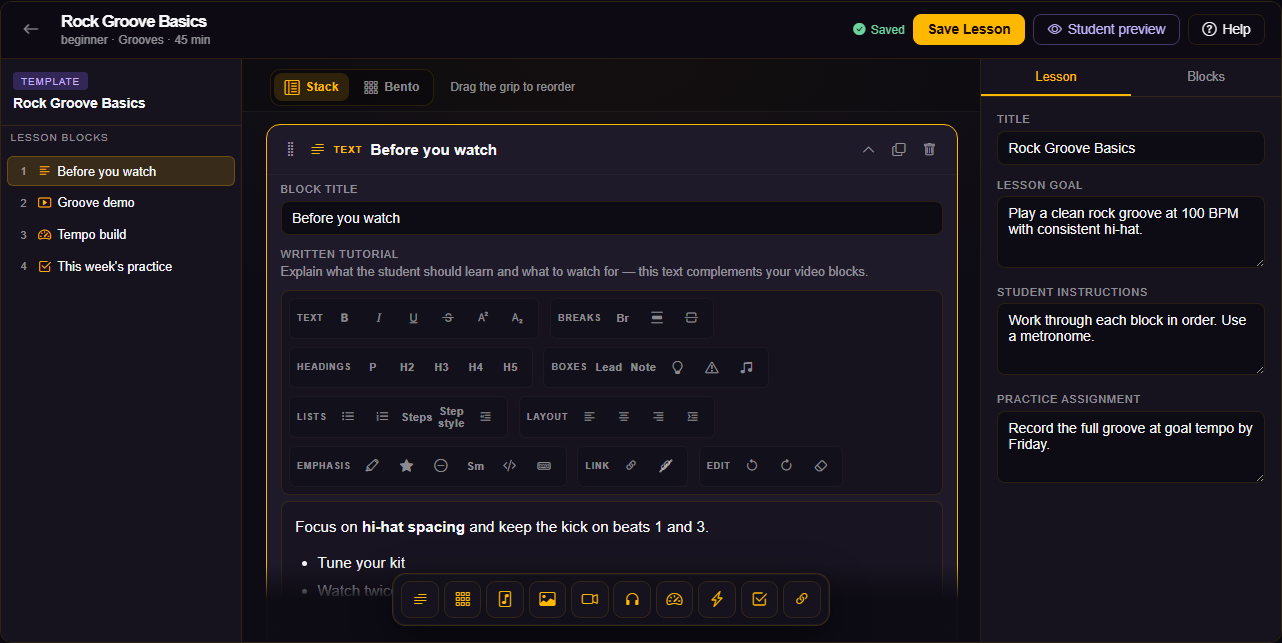
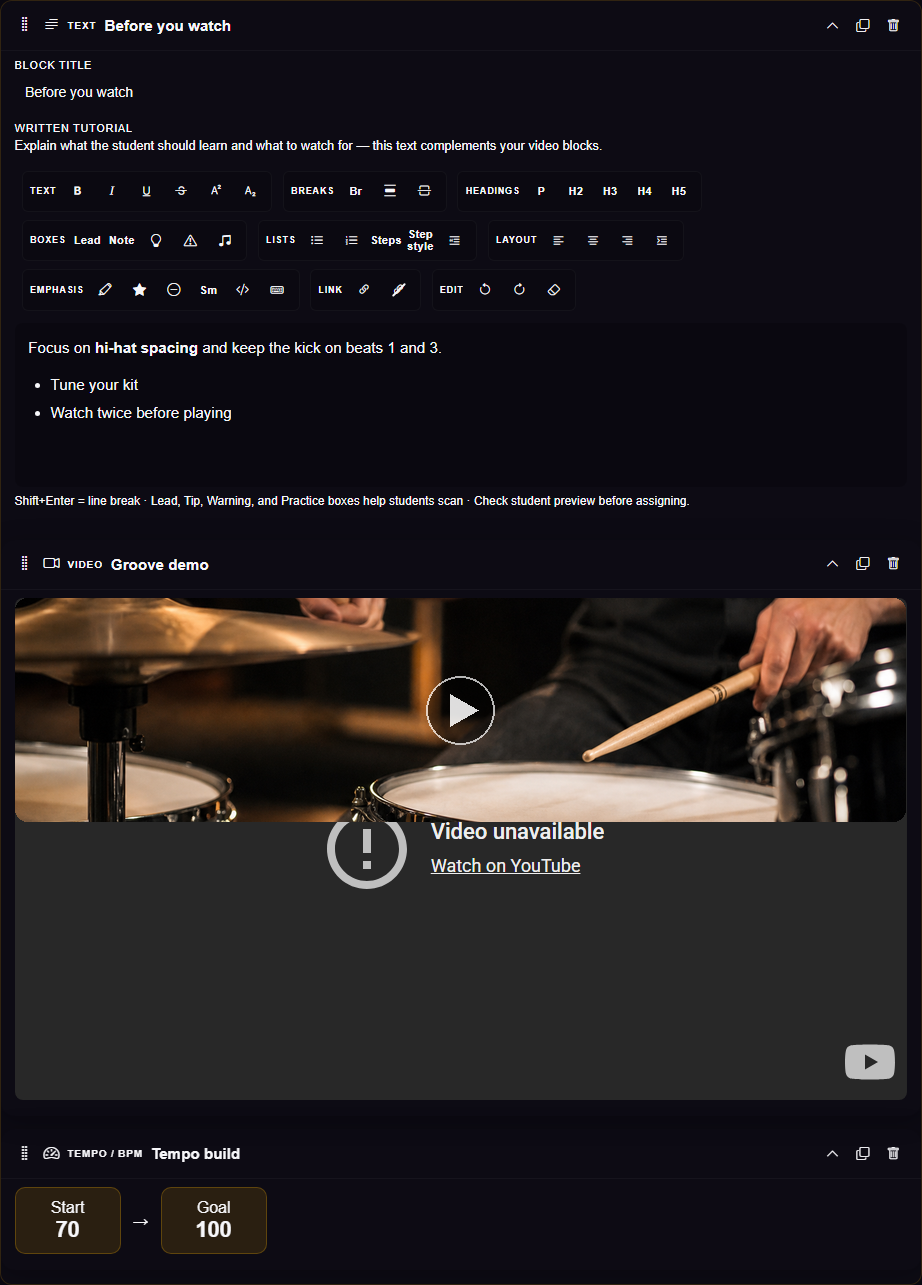
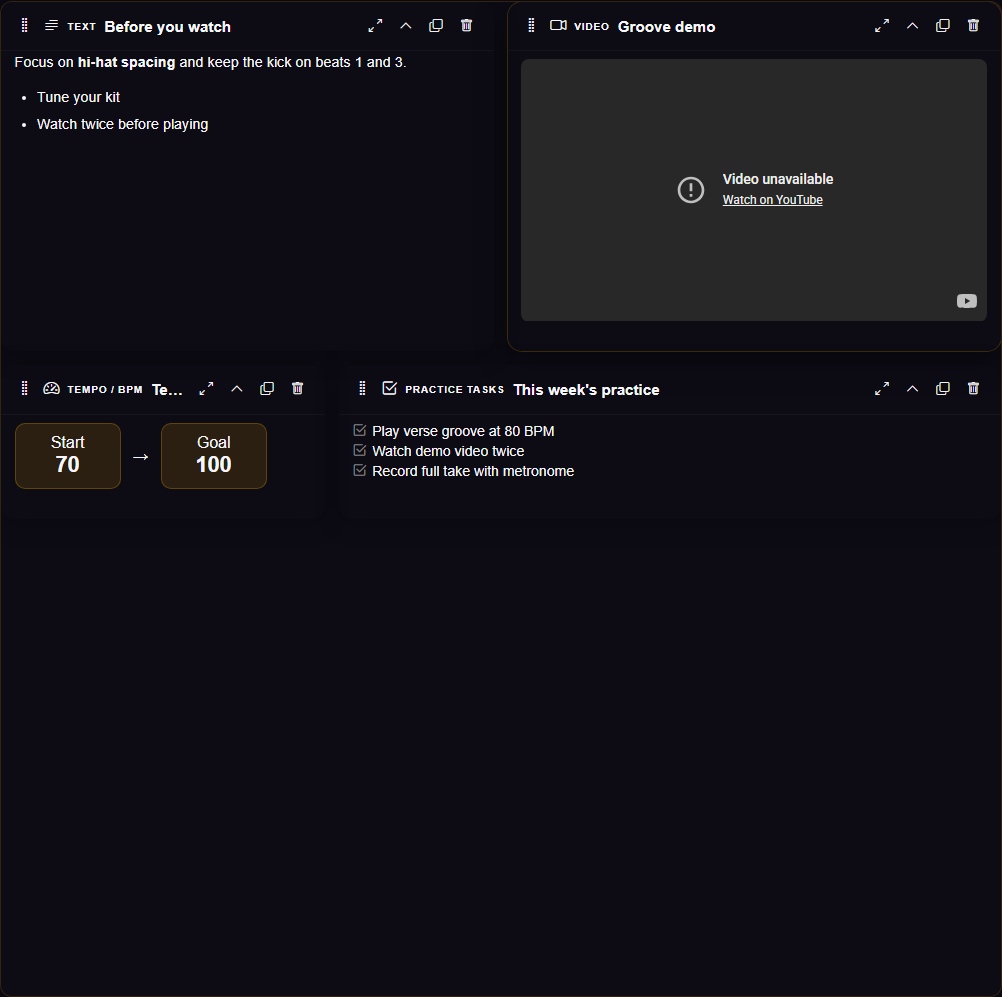
Music instruction is not one type of content. A lesson might need explanation, video, notation, tempo targets, rudiments, practice tasks, audio examples, or student-specific notes. A block-based planner lets the system support different kinds of instruction without forcing everything into one static page.
The platform is not only a video library. The teacher tools let instructors use platform content with real students, build custom learning paths, and extend the lesson beyond the room.
The library should not become a free-for-all content dump. The value comes from consistency, clarity, and educational usefulness.
A good tutorial needs planning: a clear objective, the right structure, clean video and audio, and a place inside the larger library. The system needed to support that orchestration.
The teacher side turns lessons, assignments, and student context into one working area.
The builder treats lessons as structured learning blocks instead of static documents.
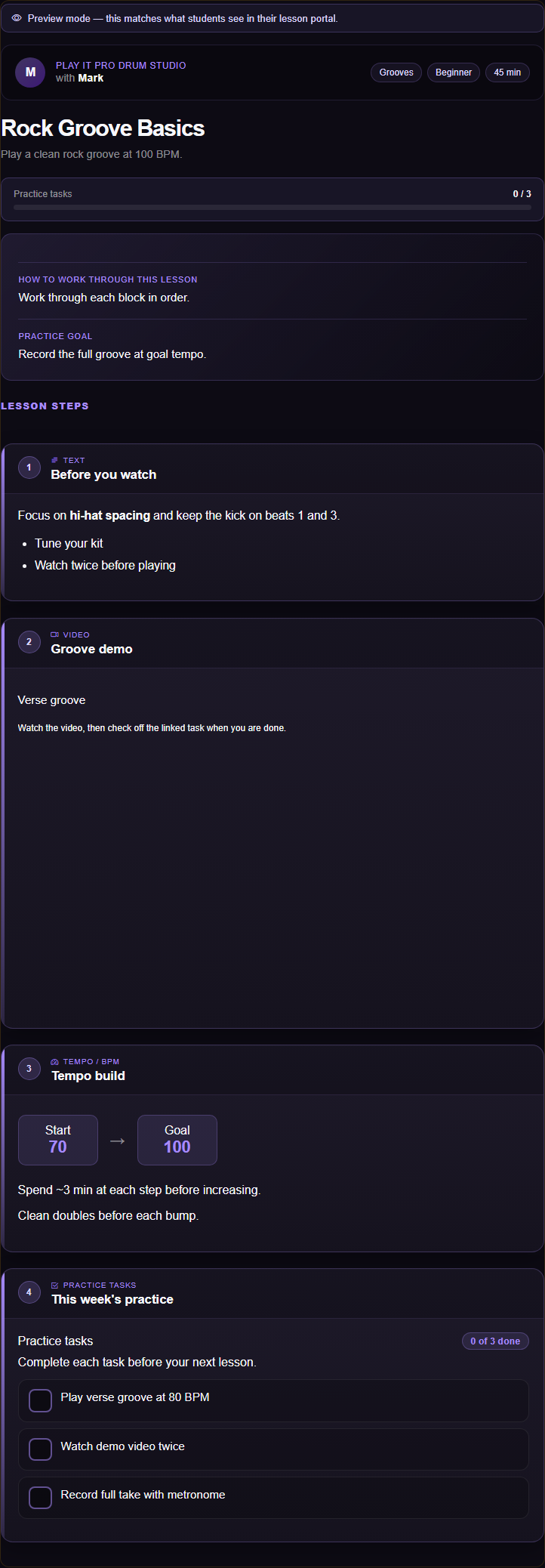
Students get a guided place to access assigned content and understand what to practice.
The student portal is where assigned lessons become actionable. Instead of a folder of links or a message from their teacher, students open one lesson and see the full path: what to read, what to watch, what tempo to hit, and what to check off before the next lesson.
I designed this view to mirror how a student actually practices. Blocks appear in order. Practice tasks stay visible. Progress is obvious without turning the page into a dashboard.
For younger students especially, clarity matters. The student should never wonder what they were supposed to work on after they left the lesson room.
The broader platform model depends on content being organized around objectives, not random uploads.
Play It Pro became a real platform that could support in-person teaching, student assignments, scheduling context, and structured tutorial content.
It gave teachers a better way to organize what students should learn and practice. It also created a broader model for helping musicians turn their knowledge into educational products under the Play It Pro brand.
Instead of relying on scattered videos, text messages, and memory, the platform gives music instruction a system: plan the tutorial, structure the lesson, assign the content, guide the student, and keep the learning path connected.
Lessons, assignments, communication, and scheduling live in one studio instead of scattered tools.
Authors and teachers work inside blocks, objectives, and library organization rather than one-off uploads.
Students see assigned material, practice tasks, and next steps in a dedicated portal.
The biggest thing I learned is that music education is not just about musical ability.
Knowing an instrument does not automatically mean you can teach it. Teaching in person does not automatically mean you can create strong online educational content.
There is a deeper layer of planning involved: defining the objective, choosing the right structure, avoiding overlap in the library, documenting the learning goal, creating the right training blocks, and helping instructors produce clean video and audio.
Play It Pro was not just a place to host music tutorials. It became a system for helping musicians turn expertise into structured education.